For everyoneTracking
Watch the numbers move.
Track your profiles and releases over time. See the latest numbers, like follower counts, with their 7-day change and 30-day trend, and see at a glance what's collecting and what needs attention.
What you get
Everything in the box.
- 01
Profiles and releases
Add the artist's profiles and releases to a project, and SonicStack keeps a running history of their numbers.
- 02
Change at a glance
Each item shows its latest available number and, once there's enough history, its 7-day change and a 30-day trend line.
- 03
Collection health
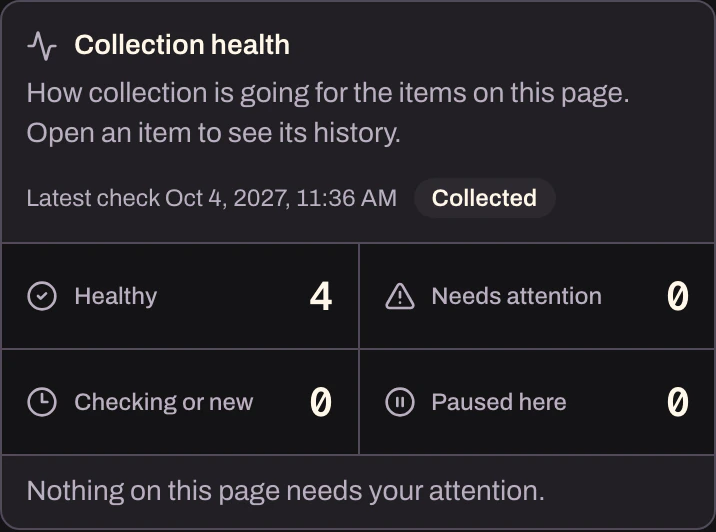
See what's collecting normally, what needs attention, what's still checking, and what's paused.
- 04
Full history
Open any item to see its history over 30, 90, or 180 days, or everything collected so far.
- 05
Honest gaps
When a number couldn't be collected, it shows as missing instead of zero.
- 06
Find the movers
Sort the list by 7-day growth and filter it by collection status.
How it works
Four steps.
No spreadsheets.
- 1
Add a profile or a release to the project.
- 2
SonicStack starts building its history.
- 3
Check the 7-day change and the 30-day trend.
- 4
Open any item for the full story.